Showcase
Parts built from plain requests
Every image here is a capture of a real SOLIDWORKS model that our SOLIDWORKS add-in built on our own computers during development. No renders, no mock-ups. Where we have the exact words that were typed, we quote them.
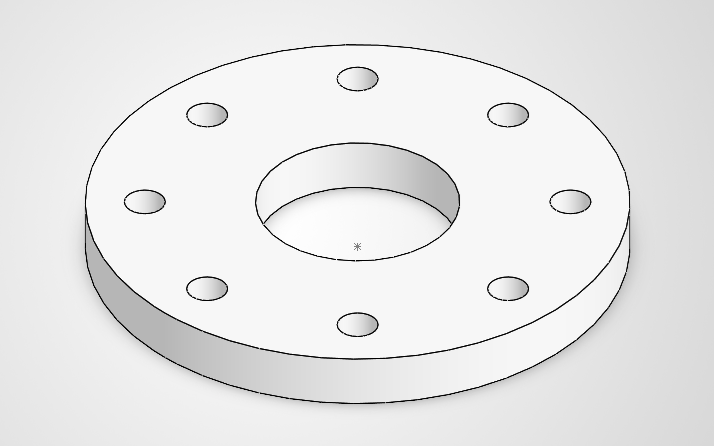
Eight-hole flange
Create a flange 160 mm OD x 16 mm thick with a 60 mm bore and 8 x 12 mm bolt holes on a 125 mm bolt circle. Save it as Eight_Hole_Flange.
A person approved the request on the card in SOLIDWORKS, then the add-in built the part and also wrote a STEP file, a drawing and a PDF.
- base extrude
- bore cut
- 8 holes on a 125 mm circle
- STEP + drawing + PDF
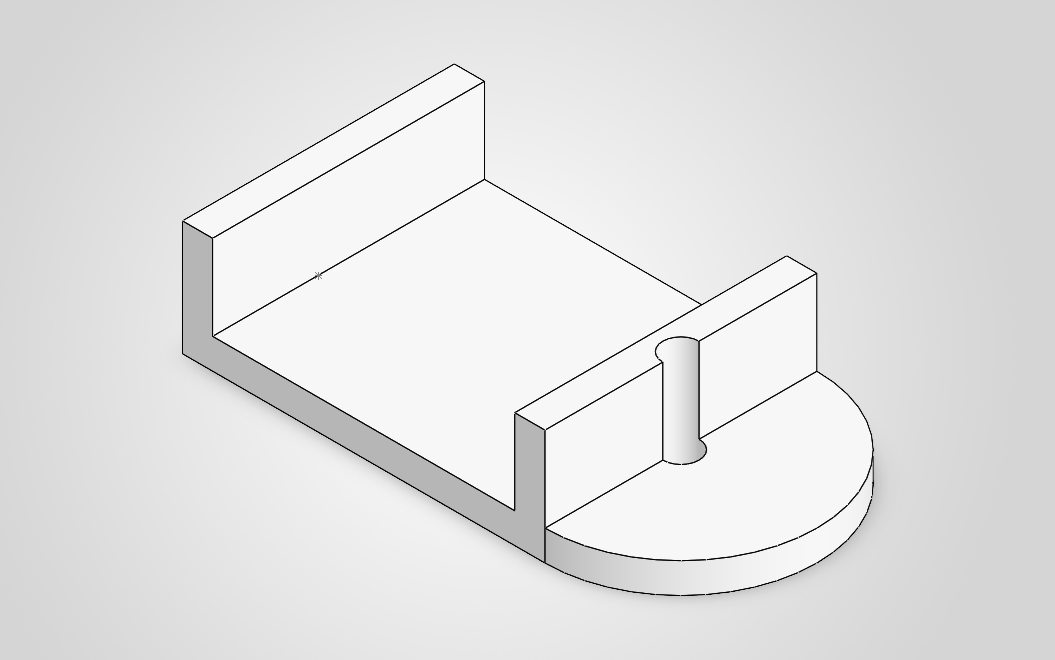
Bracket with uprights
Create a metric steel bracket with a 120 x 90 x 10 mm base, a rounded end, two 10 mm wide uprights, and a 12 mm through hole centered on the rounded end. Save it as Ribbed_L_Bracket.
Approved on the card, then built.
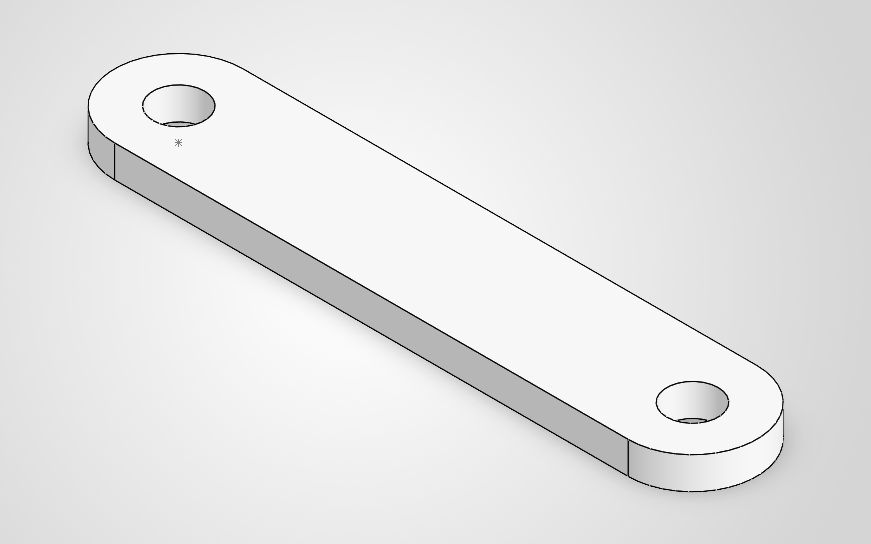
Structural link
Create a structural link 160 mm pivot center distance x 40 mm wide x 10 mm thick with two 16 mm pivot bores. Save it as Metric_Structural_Link.
Approved on the card, then built.
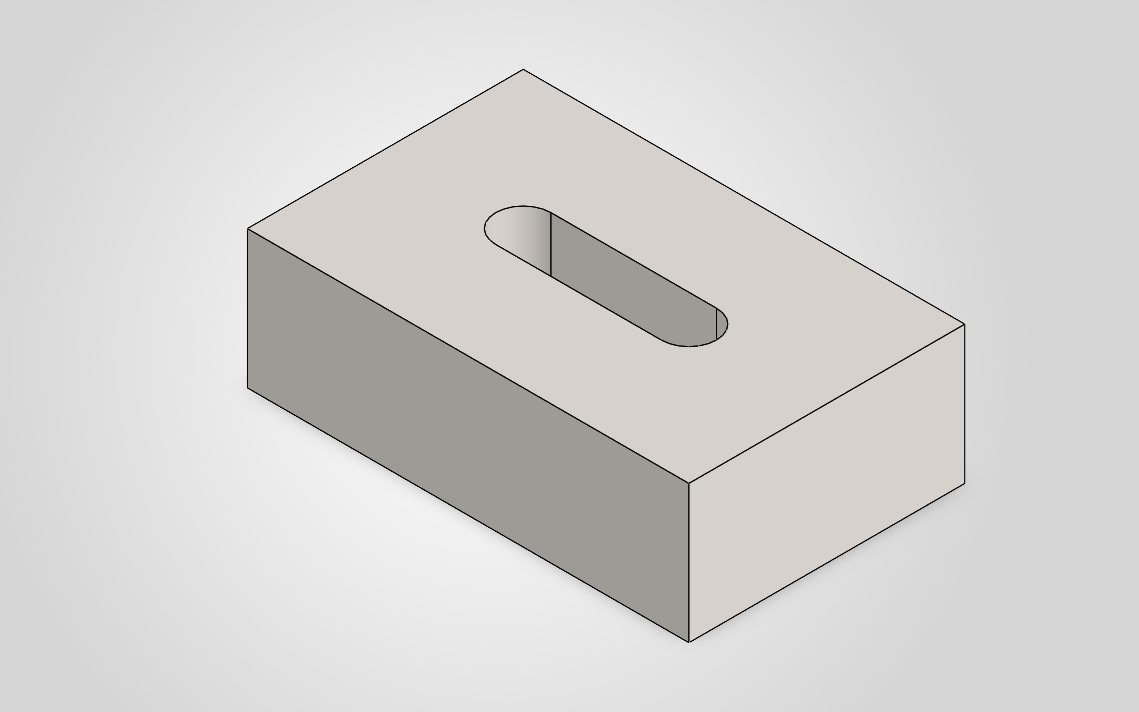
Slotted block
Create an AISI 1020 steel block 80 x 50 x 25 mm with a 40 x 10 mm slot cutout, no drawing, no pdf.
Approved on the card, then built, with a STEP file and, as asked, no drawing.
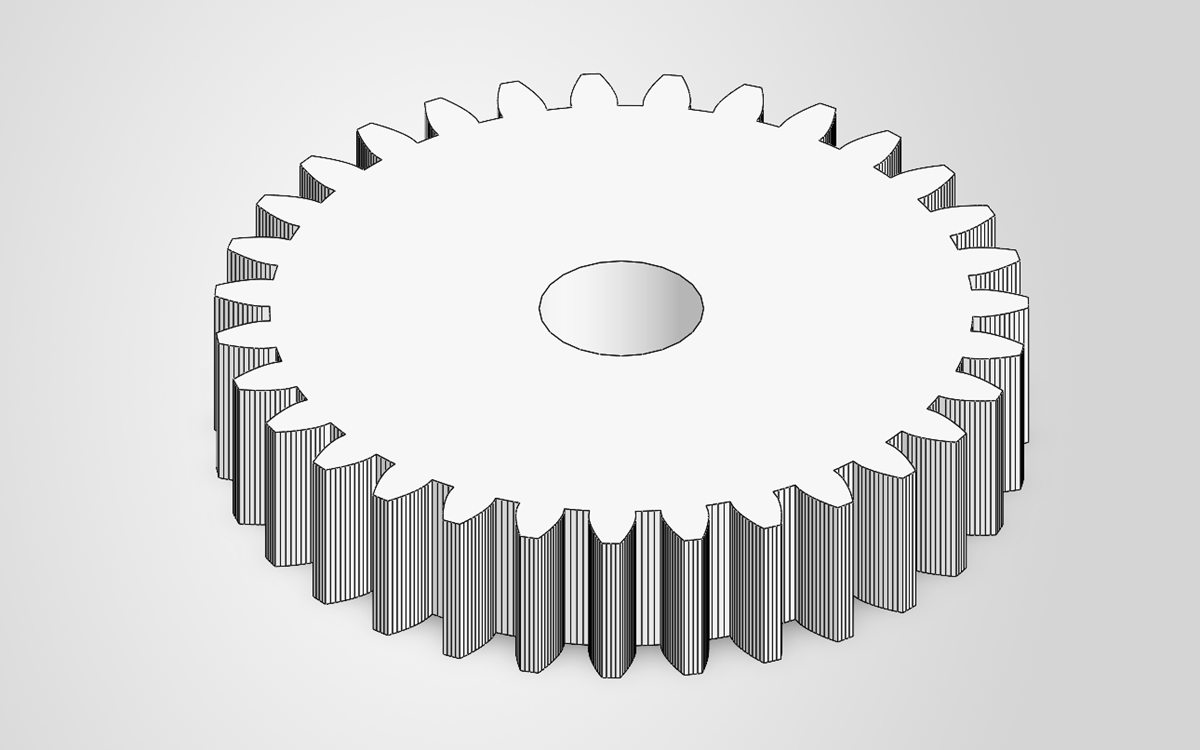
Involute spur gear
Built by the add-in’s gear generator, which computes the involute tooth profile from the gear data and checks undercut, backlash and the material around the bore before building.
- involute profile
- undercut check
- backlash check
- bore check
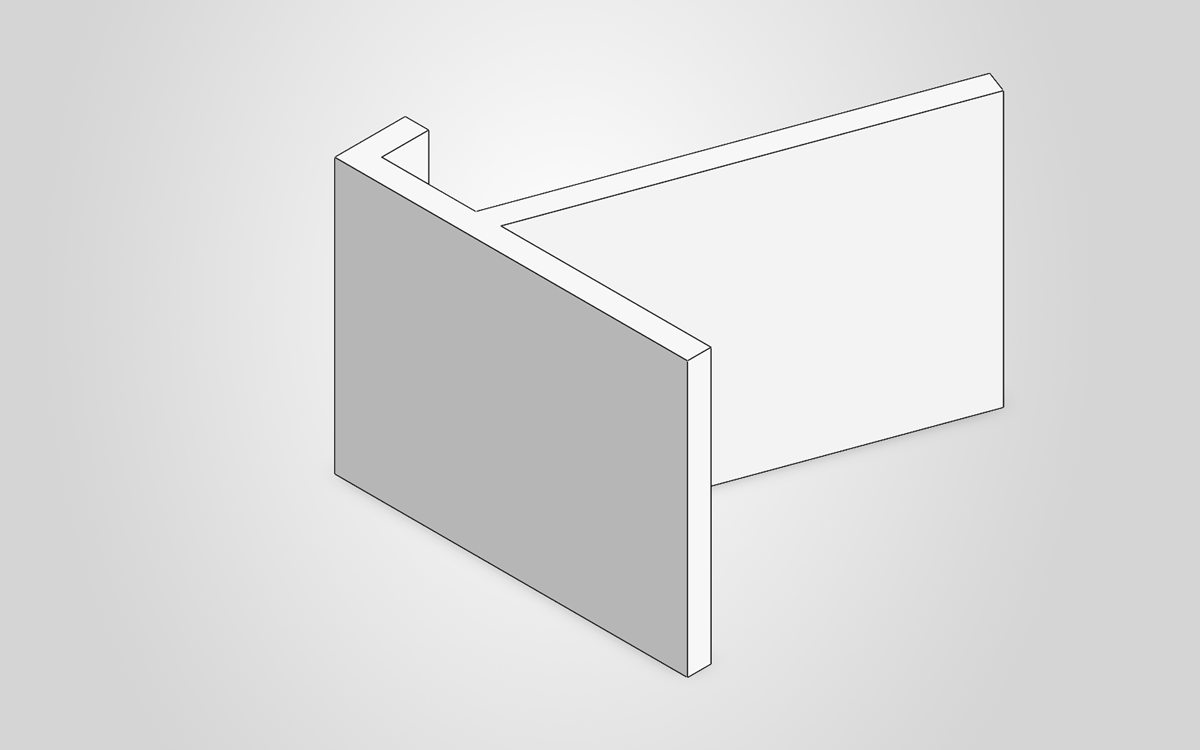
Phone stand
i want a phone stand for my desk
No sizes were given, so the AI wrote a feature program and stated its assumptions: 90 mm deep, a 6 mm base, a 70 mm width and a back rest at 70°. It was approved and built. The AI sketched it on the top plane, so the stand lies on its back. That mistake is why our feature-program language gained a sketch-plane setting.
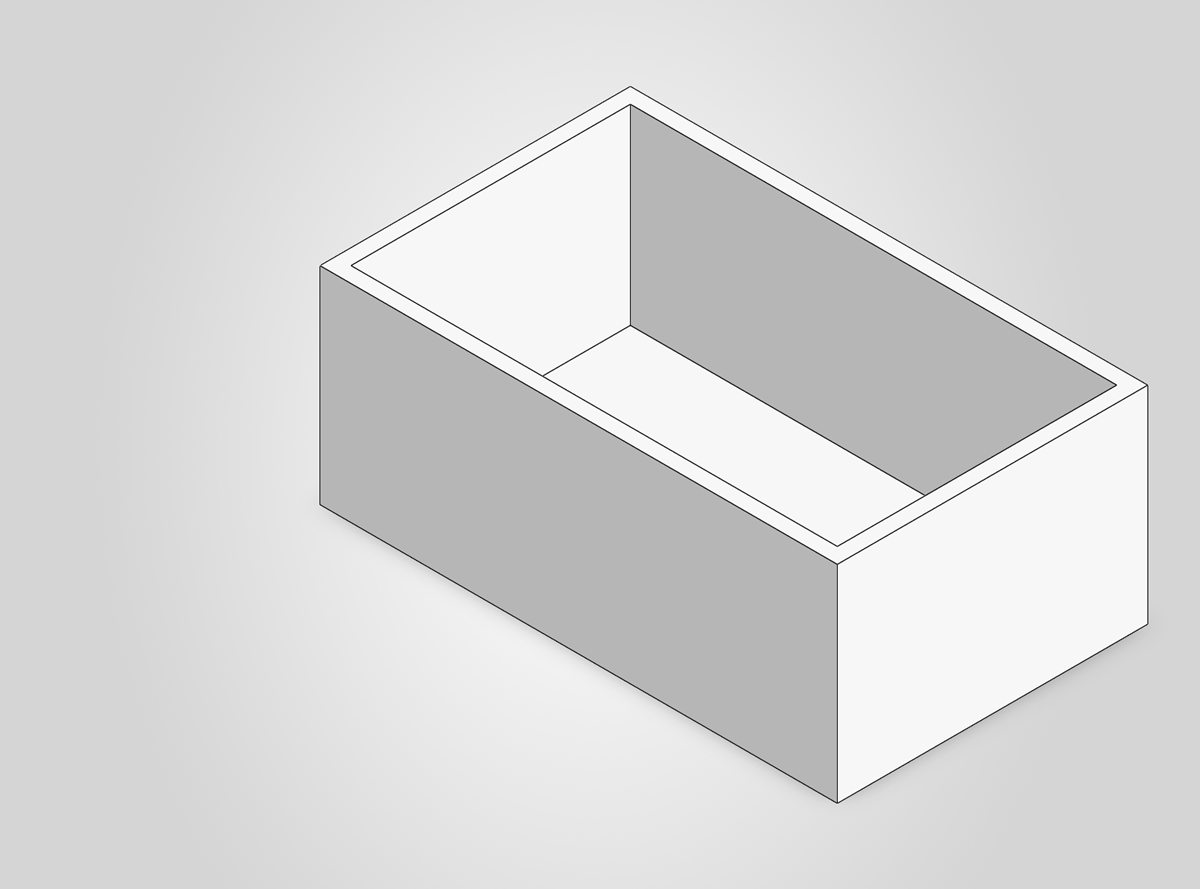
Open-top box
make a box 100 by 60 by 40 mm with 3mm walls and an open top
The AI wrote a two-step feature program, an extrude and a shell that removes the top face. Approved, then built.
- extrude
- shell, top face open
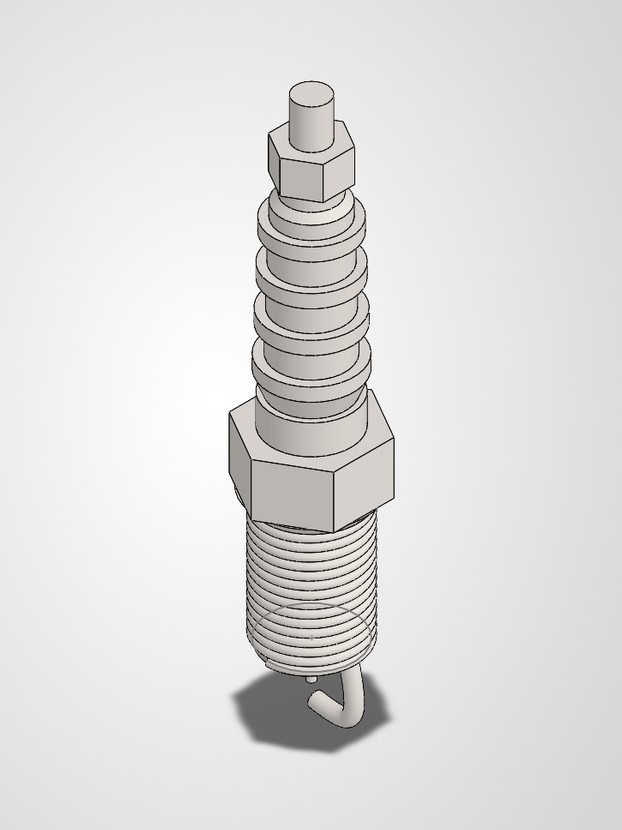
Spark plug with a real thread
An M14 × 1.25 spark plug with a 0.750 in reach, a 0.625 in hex and a taper seat, built from one feature program of seven operations sent through the connector. The result is one solid body of 64.05 g, and the thread is a real helix that a STEP export carries.
- revolve
- helical thread
- hex: cut + circular pattern
- terminal nut: cut + pattern
- sweep: ground electrode
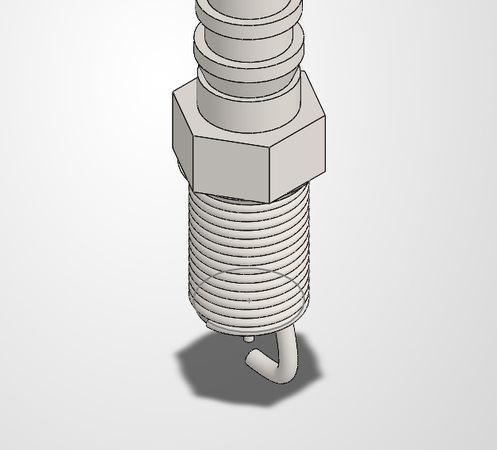
Thread and hex, up close
The same spark plug: the helical thread and the six-flat hex, each checked by an automated test against the real model.
Student projects
We are preparing three larger guided projects, based on well-known school and university design projects. Nothing for them has been built yet, so there are no images here. We will add them when they are real.
CO2 model race car
A small CO2-powered car for school racing, built in seven stages with one approval per stage.
Mountainboard
A complete mountainboard assembly, built in eleven stages with one approval per stage.
Student race-car chassis
A student race car, from its welded tube frame to the rest of the car, built stage by stage.
About these images
- They show SOLIDWORKS only. The other connectors are planned and have no examples yet.
- They were built with our SOLIDWORKS add-in directly. The online connector is still in development, so none of them went through CADMCP.AI online.
- Each capture shows only the model view: no file paths, user names or customer data.
CADMCP.AI
Be first in line
Create a free account to join early access. We will email you when the online connector opens. You keep your own AI plan and your own CAD licence.